The High Stakes of Data Privacy in California
Operating a dental practice in California means navigating a minefield of regulatory compliance. Beyond the federal requirements of the Health Insurance Portability and Accountability Act (HIPAA), California practices must also adhere to the strict consumer protections of the California Consumer Privacy Act (CCPA). When your practice captures patient data online—such as a mother submitting her child’s medical history via an intake form—your website transforms from a simple marketing brochure into a highly regulated data portal.
Many practice owners are unaware that standard website templates and generic contact form plugins are fundamentally insecure. If a breach occurs, ignorance of your website’s technical architecture is not a valid legal defense. Fines for HIPAA violations can easily reach tens of thousands of dollars per incident, completely devastating a growing clinic.
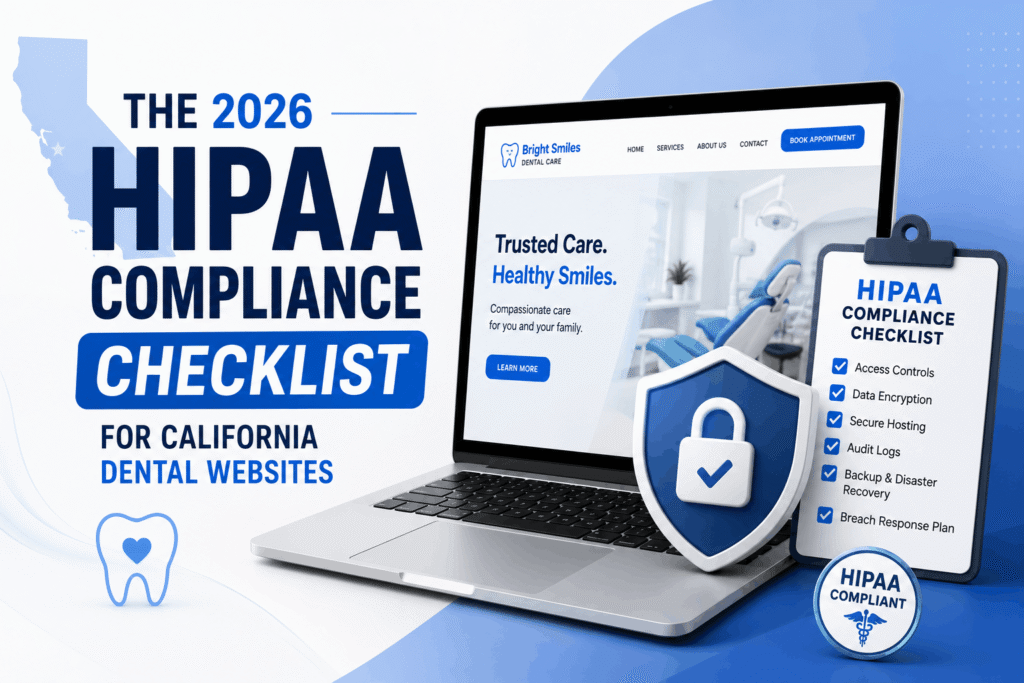
To protect your practice and maintain the trust of your community, your digital infrastructure requires medical-grade security. Below is the technical checklist for securing a California dental website in 2026.
1. Eliminate Standard Email Relays for Intake Forms
The single most common HIPAA violation on dental websites is the transmission of Protected Health Information (PHI) via standard, unencrypted email. If your website uses a basic contact form plugin that emails you a notification containing a patient’s name, phone number, and medical concern, you are actively violating compliance regulations.
Standard email protocols traverse multiple servers in plaintext. Anyone monitoring the network can intercept this sensitive data. A secure, HIPAA-conscious digital architecture never sends patient data through traditional mail transfer agents.
The Engineering Solution: Form payloads must be captured and tunneled directly to a secure vault or practice management system via encrypted, asynchronous API handlers. The notification email sent to the front desk should only contain a generic alert (e.g., “A new patient request has been securely logged”), requiring authorized staff to log into a secure dashboard to view the actual data.
2. End-to-End Encryption: Data in Transit & Data at Rest
Security must be engineered at two distinct phases of the user journey: when the data is moving, and when the data is stored.
Data in Transit (TLS 1.3)
A basic SSL certificate (the padlock in the browser bar) is the bare minimum, but it is not enough. Your server architecture must be configured to enforce strict Transport Layer Security (TLS 1.3) protocols. This ensures that the connection between the patient’s mobile device and your server is heavily encrypted and protected against man-in-the-middle attacks.
Data at Rest (AES-256)
If your website stores patient inquiries in a standard database table, a server breach will expose everything in plaintext. A compliant system utilizes database-level column encryption (such as AES-256). Furthermore, the cryptographic keys used to unlock this data must be stored in an entirely separate key management server, ensuring that a compromise of the main database yields only unreadable ciphertext.
| Security Vector | Generic Template Risk | HIPAA-Conscious Architecture |
|---|---|---|
| Form Processing | Sends PHI via unencrypted standard email protocols. | Tokenized API transmission directly to encrypted endpoints. |
| Database Storage | Patient notes and contacts stored in plaintext CMS tables. | Data at rest secured with AES-256 column-level encryption. |
| Third-Party Scripts | Heavy reliance on external CDNs, creating massive supply-chain vulnerabilities. | Zero external dependencies; styles compiled locally via CLI for a reduced attack surface. |
3. Reducing the Attack Surface: The Zero-Bloat Advantage
Security vulnerabilities are often introduced by third-party code. Standard drag-and-drop website builders rely on dozens of external plugins to function. Every single plugin is a potential backdoor for a hacker. If an outdated slider plugin is compromised, the attacker can gain full access to your entire clinic website.
True digital security relies on a “zero-bloat” architecture. By avoiding heavy template frameworks and relying on local command-line interface (CLI) compilations for styling (such as locally processing Tailwind CSS), developers can completely eliminate external script dependencies. This custom approach drastically reduces the platform’s attack surface, keeping malicious actors out while simultaneously ensuring the website loads instantaneously.
At Perosite, security is foundational. See how we architect secure, high-performance dental website design california platforms that protect your practice and drive patient acquisition.
4. Implementing Data Obfuscation & Scrubbing Logic
Malicious bots frequently target healthcare forms with SQL injection attacks, attempting to force the database to reveal sensitive information by submitting malicious code into the contact fields. A compliant website must deploy aggressive backend sanitization.
Before any piece of patient data is processed or encrypted, it must be programmatically scrubbed of all unauthorized special characters. Below is a conceptual backend structure demonstrating how a secure system isolates and sanitizes incoming payload requests before they are ever allowed to interact with the database:
public function processIntakePayload() {
    $rawInput = $_POST['patient_contact'] ?? '';

    $cleanName = preg_replace('/[^a-zA-Z\s]/', '', $_POST['patient_name']);
    $cleanPhone = preg_replace('/[^0-9]/', '', $_POST['patient_phone']);

    if (empty($cleanName) || strlen($cleanPhone) < 10) {
        return json_encode(['status' => 'error', 'message' => 'Validation Failed']);
    }

    $secureToken = $this->encryptionService->tokenize([
        'name' => $cleanName,
        'phone' => $cleanPhone
    ]);

    return $this->apiRelay->transmitSecureData($secureToken);
}
Upgrade Your Clinic’s Digital Defenses
Managing a successful dental practice in California requires absolute confidence in your digital infrastructure. Relying on outdated templates and insecure contact forms is a liability that puts your entire business at risk. Moving to an ERP-grade, fluid architecture not only creates a visually stunning patient experience but inherently protects your practice from devastating data breaches.
Protect your patients and your clinic with precision engineering. Explore our custom dental website design california solutions to build a fast, secure, and fully compliant digital portal.